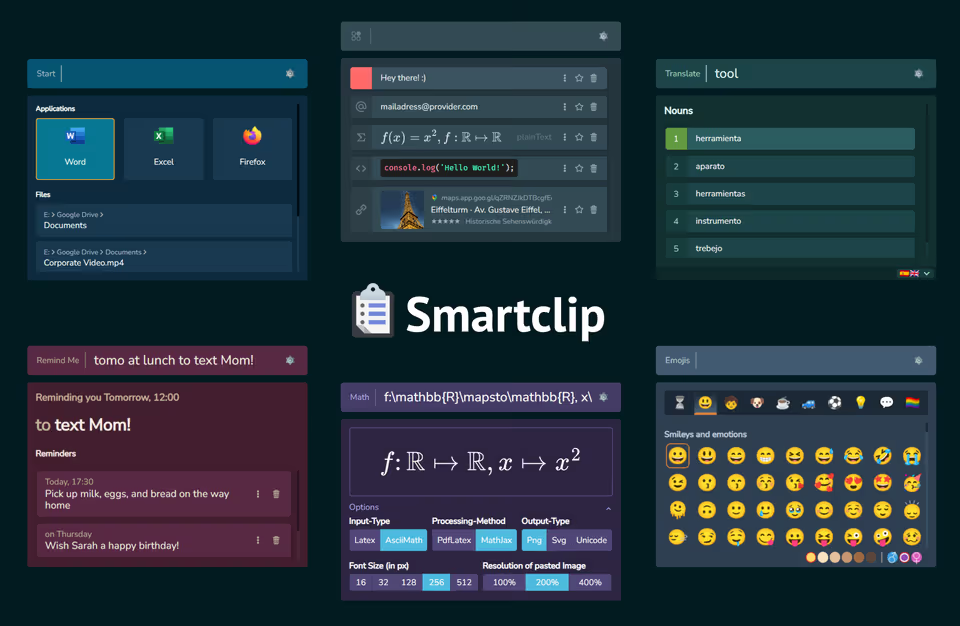

Smartclip is a versatile productivity tool designed to streamline workflows by offering quick access to various utilities through a user-friendly interface. Similar to popular application launchers like Apple’s Spotlight, Cerebro, and Albert, Smartclip goes beyond basic search functions by integrating a range of specialized plugins. These plugins empower users to efficiently manage clipboard content, handle mathematical expressions, launch applications, translate text, set reminders, and much more — all with minimal effort.
At its core, Smartclip is an extensible launcher that consists of a prompt or search input at the top and a plugin view at the bottom, occupied by the currently activated plugin. You can navigate between plugins by typing their ID followed by a space, or use dedicated keyboard shortcuts for instant access. Each plugin is carefully crafted to enhance productivity, making Smartclip a powerful companion for both everyday tasks and more complex workflows.
Currently in beta (Version 0.9.4), Smartclip is available for Windows and Linux, with each plugin offering unique features to boost your productivity.
The Plugins
Clipboard Manager (clip)
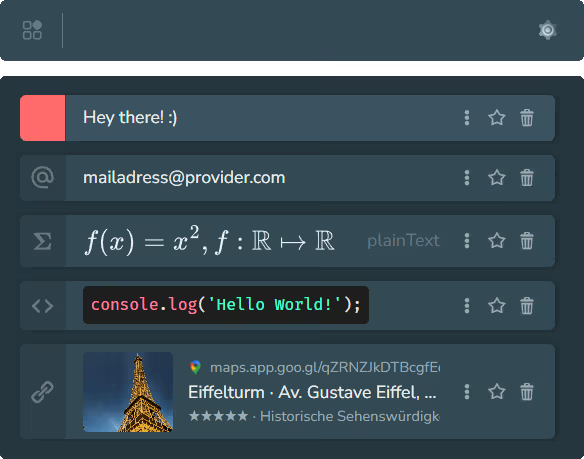
The Clipboard Manager is your productivity powerhouse for managing copied content. It automatically detects different types of text (including URLs, email addresses, math expressions, code, and images) and stores them for easy reuse. Simply select an entry and press Enter to paste it wherever you need.
What makes this plugin exceptional is its intelligent context-aware actions. URL entries can be pasted as scientific references or BibTeX citations, email entries open your mail client directly, and math expressions can be converted to Unicode. You can favorite important entries to keep them even after system restarts, and use Alt + number keys (1-9) to instantly paste specific entries.
Quick Access: Press Super + V to open the Clipboard Manager instantly.
Application Launcher (start)
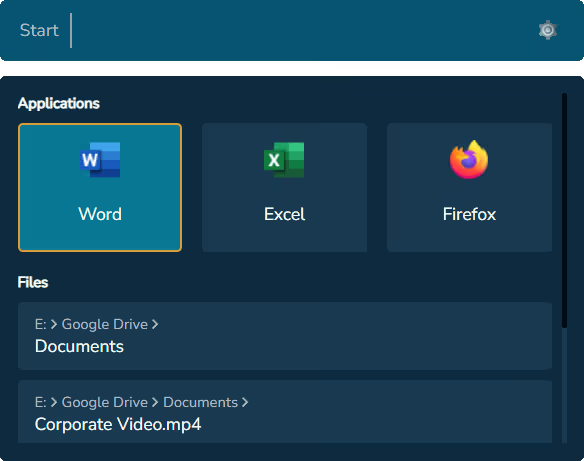
The Application Launcher provides lightning-fast access to your installed applications and indexed files. No more clicking through menus or searching through folders, just type and launch. The plugin indexes your applications on first startup and maintains a searchable database for instant retrieval.
Beyond launching apps, you can also search for files within predefined directories that you configure in the settings. The plugin even includes quick actions for system operations like shutting down your computer. It’s the ultimate tool for eliminating friction from your daily workflow.
Translator (tl)
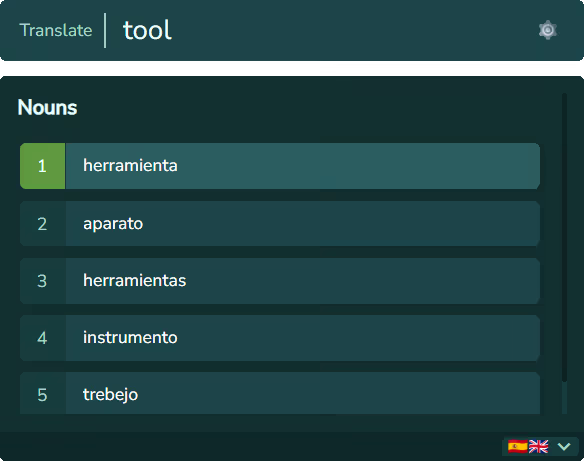
The Translation Plugin makes language translation effortless with instant, keyboard-driven access. Simply press Ctrl +
Shift + L while text is selected, and Smartclip will copy and translate it automatically. Results are organized by
categories (nouns, verbs, adjectives) making it easy to find the right translation in context.
Jump between categories with Ctrl + Down/Up, and paste translations instantly by pressing Enter. The plugin even
includes “Did you mean…” suggestions for typos, and allows you to select both origin and target languages. It’s
perfect for multilingual workflows, research, or learning new languages on the fly.
Quick Access: Press Ctrl + Shift + L to open the Translator instantly.
Emoji Picker (emoji)
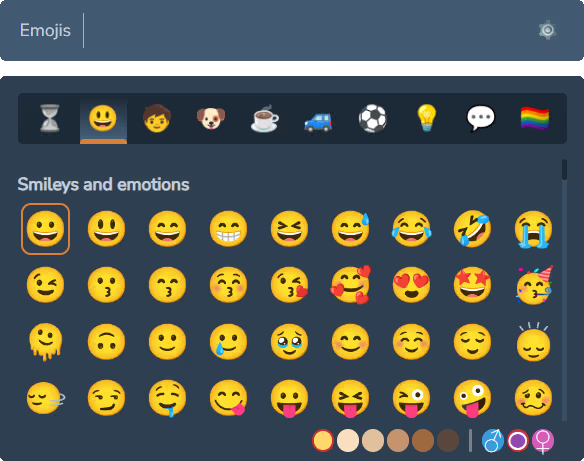
Add expression and personality to your text with the Emoji Picker. Browse and search through a comprehensive emoji library using either English or German keywords (powered by WhatsApp’s emoji suggestions). Navigation is smooth: use arrow keys, mouse clicks, or simply press Enter to paste your selected emoji.
The plugin supports advanced features like alternate emoji versions (accessible with Alt + Enter), including
different skin tones and genders. You can even stack multiple emojis using Shift + Enter and paste them all at once.
It’s a fun, efficient way to enhance your communication.
Quick Access: Press Super + . to open the Emoji Picker instantly.
Reminder (rm)

Never miss a task again with the RemindMe Plugin. Set reminders using natural language: simply type a date and/or time followed by your task. The plugin understands phrases like “in 10 mins,” “tomorrow at 8pm,” “next monday,” or even “ dinner time” and creates reminders accordingly.
When reminders trigger, you can snooze them for a custom duration or until the next app startup. You can also integrate
reminders with external calendars (iCalendar or Google Calendar) by pressing Shift + Enter when creating a reminder.
It’s an intuitive, minimalistic way to stay organized and on top of your to-do list.
Math Expression (math)
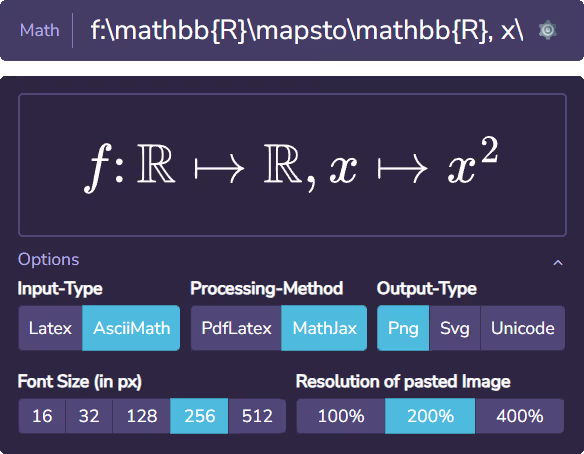
The Math Expression Plugin is perfect for academics, engineers, and anyone working with mathematical notation. Quickly create and paste math expressions as PNG, SVG, or plain Unicode. Whether you’re preparing slides, writing emails, or documenting equations, this plugin has you covered.
It supports both LaTeX Math and AsciiMath input formats, with processing options via MathJax or PdfLaTeX (if installed).
You can customize font size, resolution, paste color, and display style. AsciiMath makes it particularly easy to write
complex expressions without deep LaTeX knowledge: just use intuitive shortcuts like f(x)=x^2, f: RR |-> RR instead of
verbose LaTeX syntax.
Get Started Today
Smartclip is currently in beta and available for free. Download the latest version from the official website or the GitHub releases page. With its powerful plugin ecosystem and intuitive interface, Smartclip transforms how you interact with your computer — making every task faster, smoother, and more enjoyable.
Ready to boost your productivity? Give Smartclip a try and experience the difference.